Solutions / Browser
See and secure every AI interaction in the browser
From chatbots to AI features buried inside sanctioned apps, Harmonic sees the whole estate and coaches employees before exposure becomes an incident.
Talk to us about securing AIWho we work with







Why Harmonic for the browser
Control AI use in the browser, without blanket blocks
Harmonic secures AI use in the browser with real-time visibility and control over how employees use AI tools. It monitors prompts, agent actions and data flows in context, detects sensitive or high-risk usage, and guides users before data exposure becomes an incident.
01Identity
Distinguish personal from corporate accounts
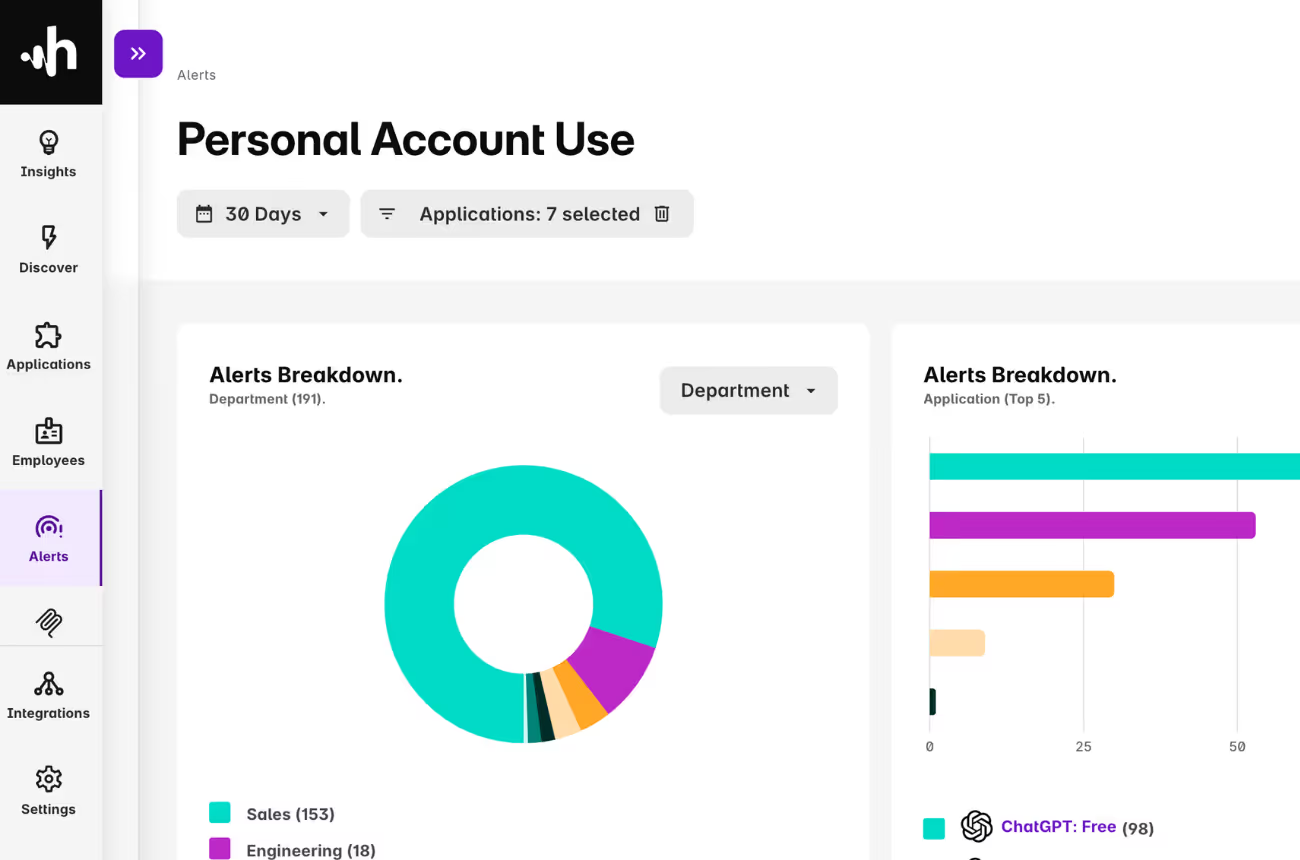
Effective monitoring has to separate sanctioned corporate instances from risky personal accounts. Harmonic identifies the specific account type and subscription plan in use.
You can immediately spot an employee logging into ChatGPT with a personal Gmail account instead of your provisioned enterprise SSO, and enforce policy without blocking the tool entirely.
02Visibility
Total visibility of enterprise AI use
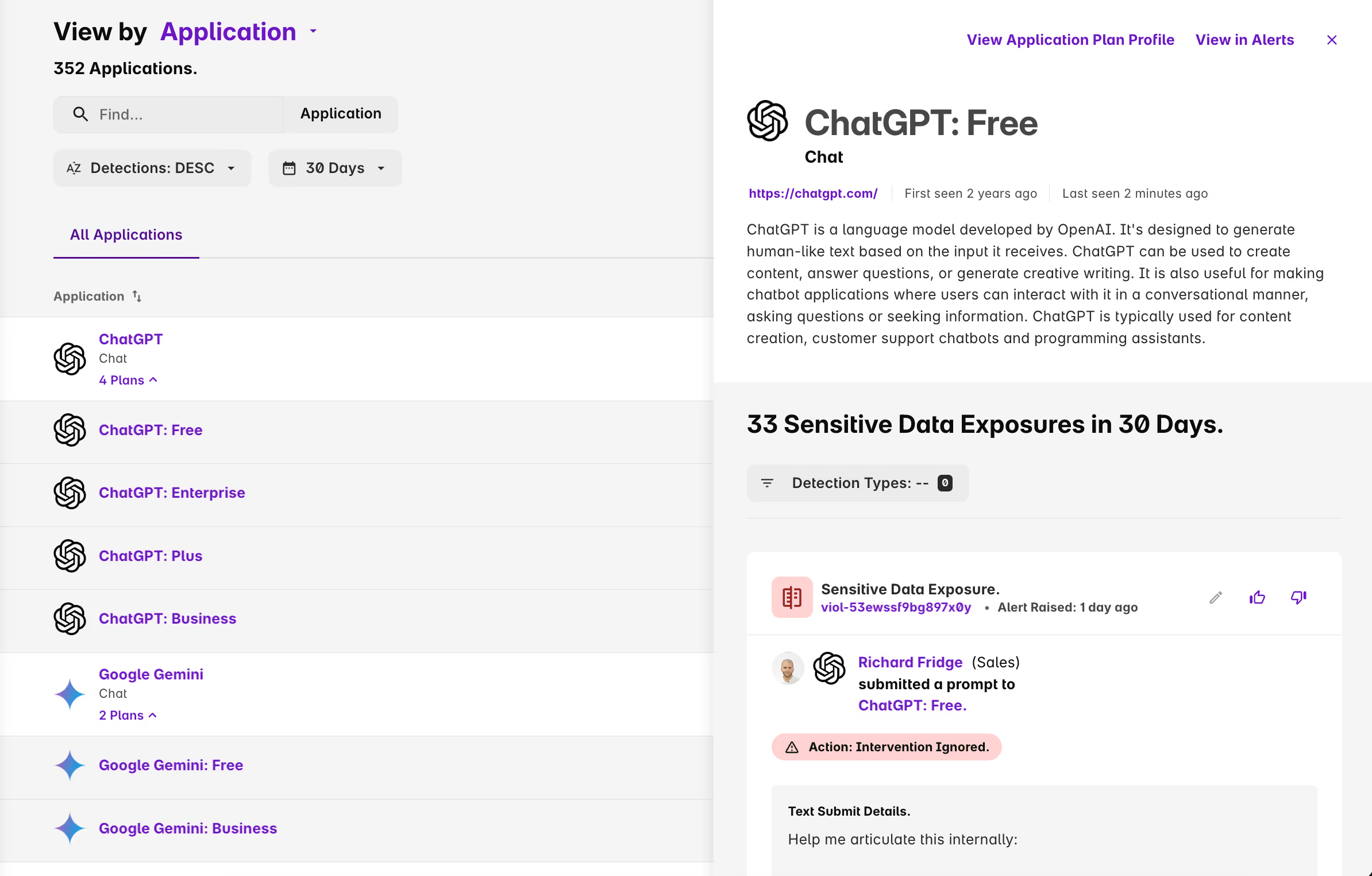
You cannot govern what you cannot see. The browser extension inventories every AI interaction across your estate: AI features running inside sanctioned apps like Canva and Grammarly, unsanctioned tools and personal accounts, and agent actions started from browser tools like claude.ai.
Everything lands in one inventory, scored by the same risk model, whether it is a chatbot prompt, an agent action, or a feature inside an approved app.
03Coaching
Coach, don’t block
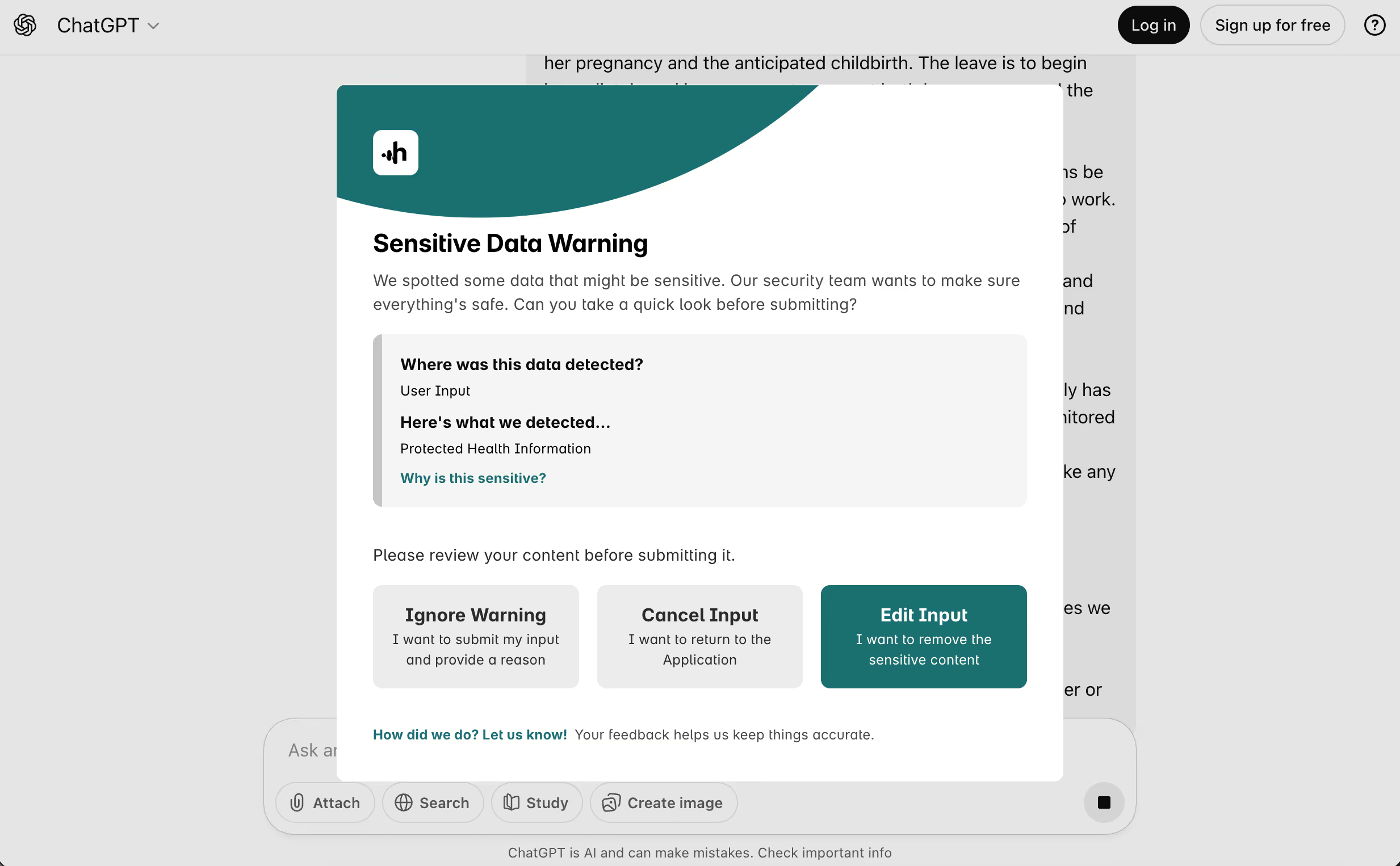
Blanket blocks drive users to dangerous shadow IT. Harmonic gives you granular control to guide secure behaviour instead: warn users as they are about to paste sensitive data, ask for a business justification, or steer them from an unsafe free tool to your sanctioned alternative.
The intervention explains itself and offers a way forward, so the work continues on safer ground rather than stopping.
Top resources
Resources for securing AI in the browser
What browser-level AI coverage looks like in practice, and where network tools stop short.
Frequently asked questions
Quick answers about browser AI security
Short, direct answers to what security and IT teams ask before bringing Harmonic in.
Do Netskope and Zscaler offer AI-specific controls?
Some SASE vendors offer limited AI controls for a small number of high-profile domains like ChatGPT or Copilot. Those controls require per-domain integrations and do not cover the full spectrum of AI tools, embedded AI features, or agentic workflows.
Can Harmonic tell a personal AI account from a corporate one?
Yes. The browser extension identifies the account and plan behind each session, so a personal free ChatGPT login shows up separately from your Enterprise workspace. You can set a different policy for each: log activity on the corporate account, and coach or block sensitive data on the personal one.
Does Harmonic detect web applications with embedded AI?
Yes. The browser extension finds AI features running inside web apps you already use, such as Magic Write in Canva or Grammarly’s writing assistant, and adds them to the same inventory as standalone tools. The same policies apply, so sensitive data pasted into an embedded feature can be coached or blocked just as it would be in ChatGPT.
What is Harmonic Security's technical differentiator?
Harmonic uses purpose-built small language models that understand user intent and sensitive data in milliseconds. This low-latency analysis lets you understand AI usage and enforce inline controls without slowing work down.
How is Harmonic Security deployed?
Harmonic can be installed with a range of MDM tools, such as Kandji, Intune or Jamf.
Which browsers does Harmonic support?
Chrome, Edge, Firefox and Safari, plus other Chromium browsers including Arc, Brave, Vivaldi, Island and Genspark, Firefox-based browsers such as Zen, and AI browsers including Comet and Dia.

Get started
Build your AI guardrails in the browser
Gain the visibility and control you need to guide AI use in the browser with confidence. Most teams see first insight in about 30 minutes.
What you'll see with Harmonic Security
- Your full browser AI footprint, including personal accounts and AI embedded in approved apps.
- Inline guardrails that coach, warn, or block — firing in under 200ms.
- See and control the tool calls and actions agents take in browser AI tools.
- Coverage of browser, endpoint and MCP.
- Deployment in minutes via Intune, JAMF, or Kandji.
