Solutions / AIDR
Runtime AI detection and response, down to the prompt
Capture every prompt, file and agent action across web, desktop and CLI. Understand how AI is actually being used, spot the risky moments in context, and respond at runtime while the work is happening.
Talk to us about securing AIWho we work with






Why Harmonic for AIDR
Detection and response at the prompt level
AI risk is created in the interaction: a prompt, a file, a response, a connector call, an agent action. Knowing which AI tools are installed, or which processes are running, can't tell you what happens inside them. Harmonic captures and analyzes every interaction at runtime, so security teams can see how AI is really used and act on the moments that matter.
Most of that activity is legitimate work, and understanding it is the point. Detection is sharper when it starts from real usage: fewer blind spots, less noise, and faster intervention when something is actually wrong.
01Understand
Know how AI is used, prompt by prompt
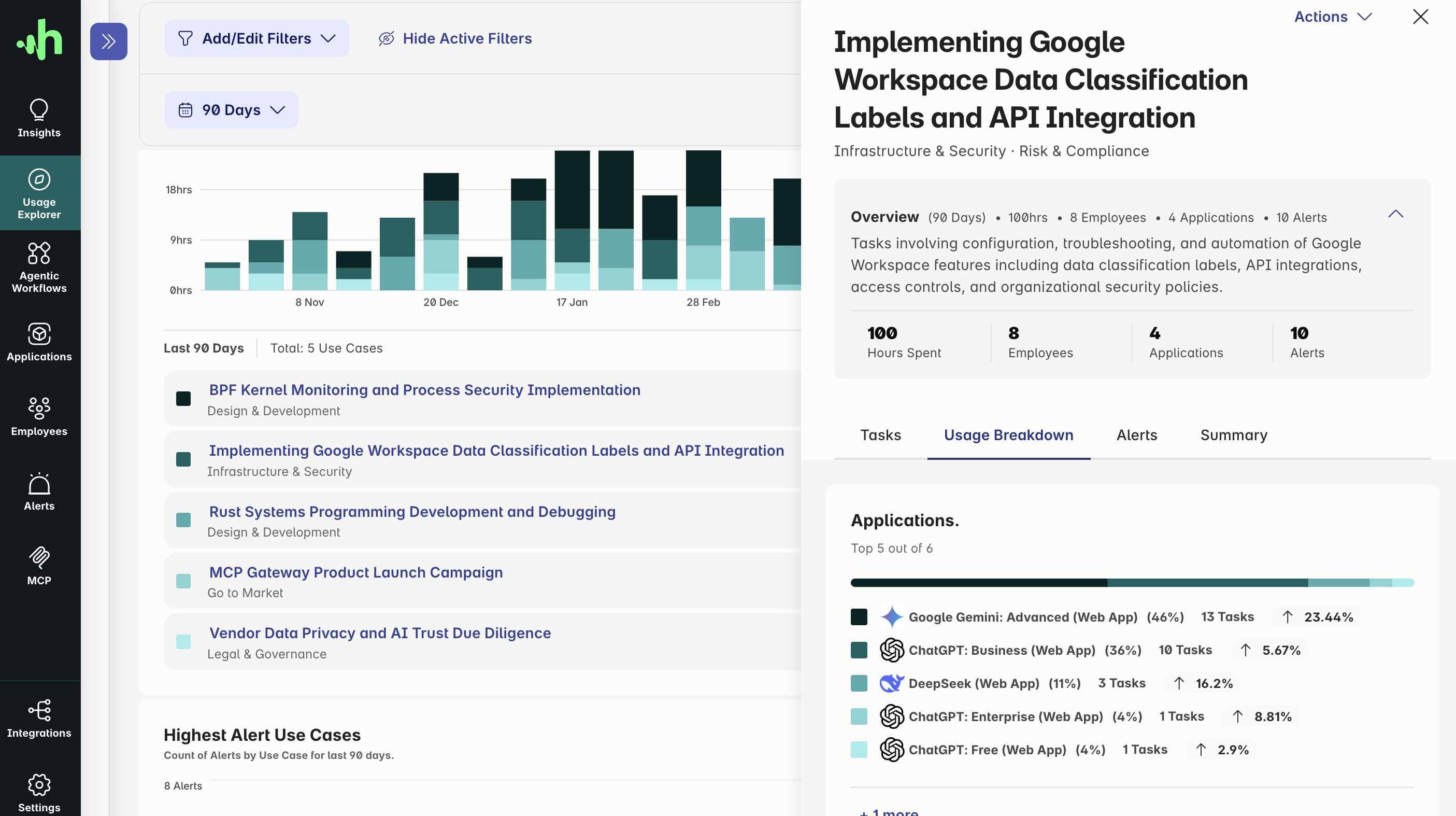
Harmonic groups every captured interaction into tasks and organization-specific use cases. See which teams are adopting AI, what work it supports, where unsanctioned tools and personal accounts appear, and which use cases carry the most risk.
That goes well beyond a list of tools and spend. It gives security and AI leaders the evidence to guide policy, investment and enablement, not just a queue of alerts.
02Detect
Spot risky actions in context
More than 40 purpose-built small language models analyze the intent and content of each prompt, file, response, connector call and agent action as it happens, separating real exposure from harmless reference material.
Detection goes beyond entity matching and regex, and beyond prompt injection alone. Security teams get more precise detections and fewer false positives, so they can focus on the events that matter.
03Respond
Guardrails at runtime, without interrupting work
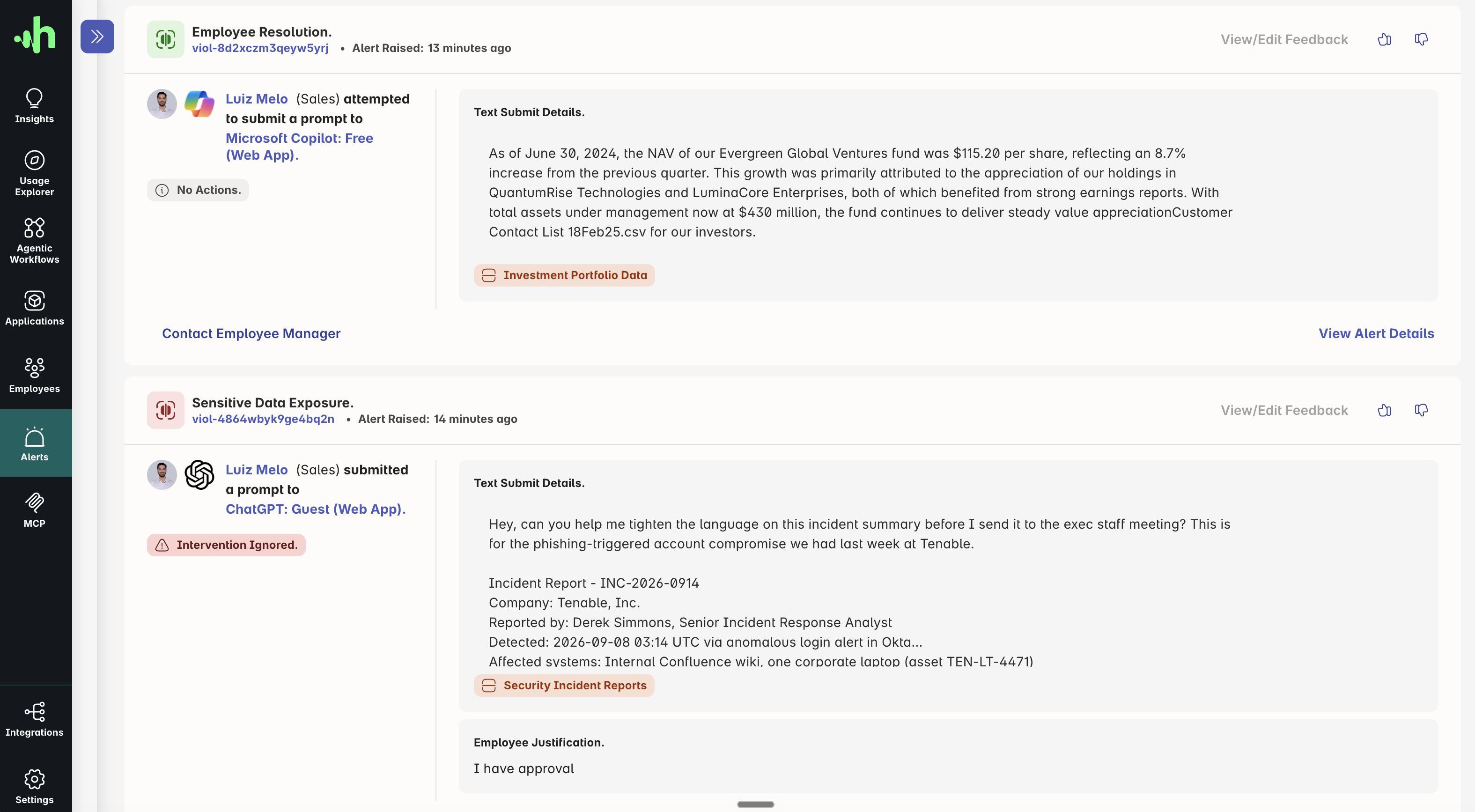
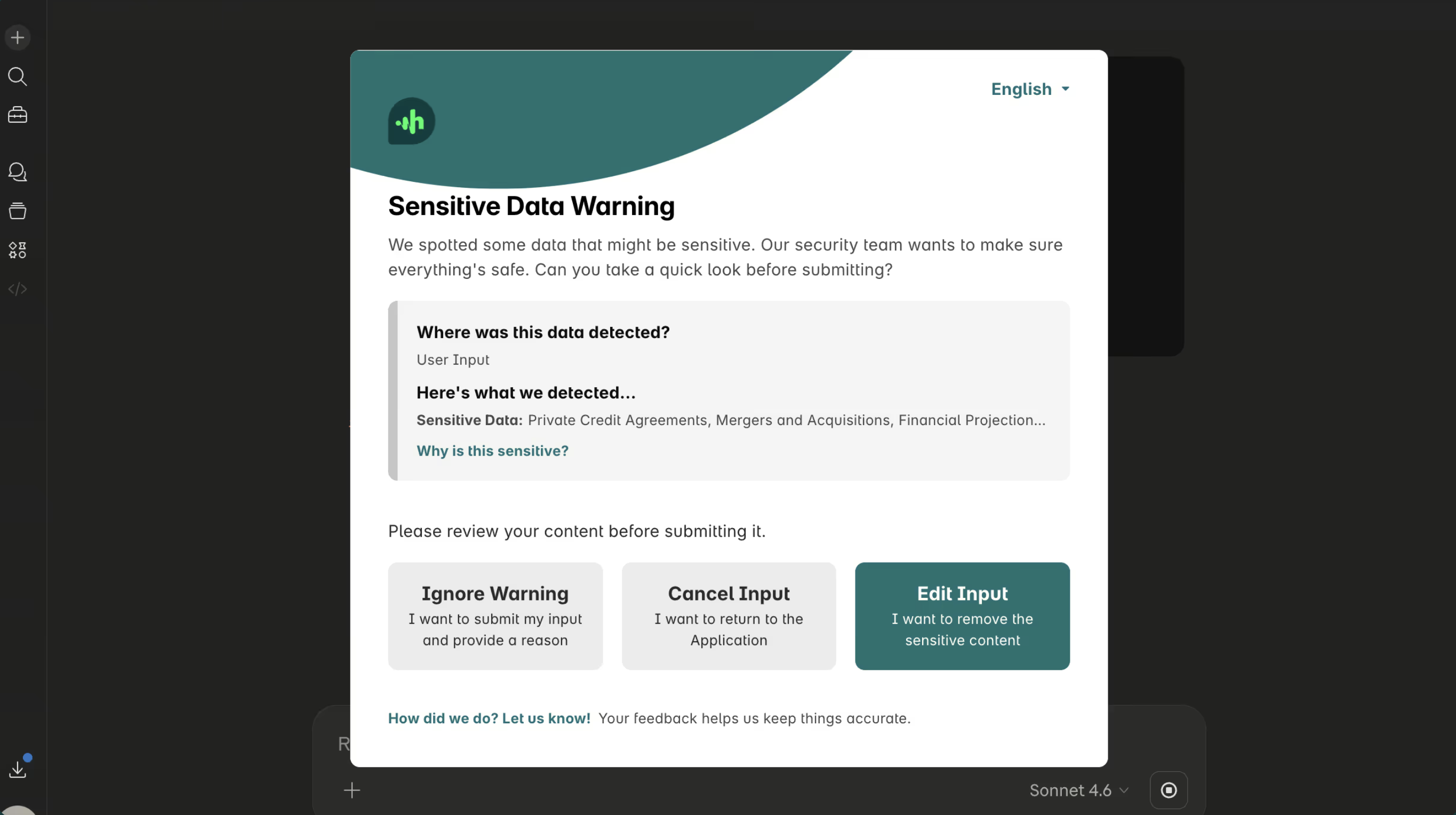
Choose the response that fits the moment. Harmonic can record an event, coach the employee, request a justification, warn them, or block a specific interaction or agent action, not the whole application.
Inline interventions explain what triggered them and how to continue safely, so high-risk behavior stops before it becomes an incident while legitimate work carries on.
Collection
Prompt-level visibility wherever AI runs
Employees don't only use AI in a browser tab. Harmonic collects interactions from web apps, desktop apps, the command line and agent tool calls, and analyzes all of them the same way.
Web-based
Browser extension
Prompt-level visibility and inline guardrails across 1,000+ AI apps, including personal accounts and newly launched tools.
- ChatGPT, Claude, Gemini, Copilot
- AI features inside SaaS apps
- Uploads, pastes and responses
Desktop-based
Endpoint agent
AI that runs outside the browser, captured at the interaction level rather than seen only as a running process.
- Desktop AI apps and assistants
- CLI coding agents
- Deployed via Intune, JAMF or Kandji
Agentic
MCP gateway
Visibility and control over the tools agents call, whether the action runs locally or on a remote server.
- MCP tool calls and connectors
- Local and remote agent actions
- Per-tool allow, warn or block
Why not EDR or posture tools?
Most AI usage isn't an attack. It's work.
EDR and posture tools tell you which AI tools are installed and running. Harmonic works at runtime, at the prompt level: it understands the task first, then decides what to stop.
Top resources
Resources for teams building AI detection and response
How other security teams moved from AI blind spots to detections they can act on.
Frequently asked questions
Quick answers about AIDR
Short, direct answers to what security and IT teams ask before bringing Harmonic in.
How is this different from CrowdStrike or other EDR tools?
EDR tools are extending endpoint monitoring to AI processes, which is useful for seeing what runs on a device and catching threats like prompt injection. Harmonic works a layer above: it sees the prompts, files and agent actions inside 1,000+ AI apps across web, desktop and CLI, understands the task behind them, and applies guardrails to the specific interaction rather than the whole application. Many teams run both. See the full comparison.
Isn't AI security posture management enough?
Posture management tells you which AI tools and agents exist and how they're configured. It doesn't see the prompt an employee sends or the command an agent runs. Harmonic works at runtime, analyzing each interaction as it happens, so you can understand usage and step in before a risky action completes. The two are complementary.
Can't we just block all unapproved tools?
You can, and it's a reasonable starting point. The difficulty is that blocking tools without a suitable alternative pushes employees to find other ways in, often via personal accounts that carry more risk. And even for sanctioned tools you still need granular guardrails over the actions taken inside them: an approved coding agent can still delete a repository or push customer data into production.
What is Harmonic Security's technical differentiator?
Harmonic uses purpose-built small language models that understand user intent and sensitive data in milliseconds. This low-latency analysis lets you understand AI usage and enforce inline controls without slowing work down.

Get started
Build your AI guardrails for detection and response
Get prompt-level visibility and runtime control to guide workforce AI with confidence. Most teams see first insight in about 30 minutes.
What you'll see with Harmonic Security
- Your full AI usage footprint: every app, every team, every use case.
- Inline guardrails that coach, warn, or block — firing in under 200ms.
- See and control what coding agents and AI assistants are actually doing.
- Coverage across web, desktop, CLI and MCP.
- Deployment in minutes via Intune, JAMF, or Kandji.
