
Shadow AI Detection & Monitoring for Enterprises
Stop playing AI tool whack-a-mole. AI is everywhere, and teams are exhausted trying to track what employees use and upload. Proactive monitoring helps you understand AI usage before something goes wrong.

Harmonic Security Shadow AI Monitoring
Harmonic Security enables you to continually monitor for employees using unapproved AI tools or agents. This includes visibility into the prompts and data shared with these tools, giving you the context to apply intelligent controls.
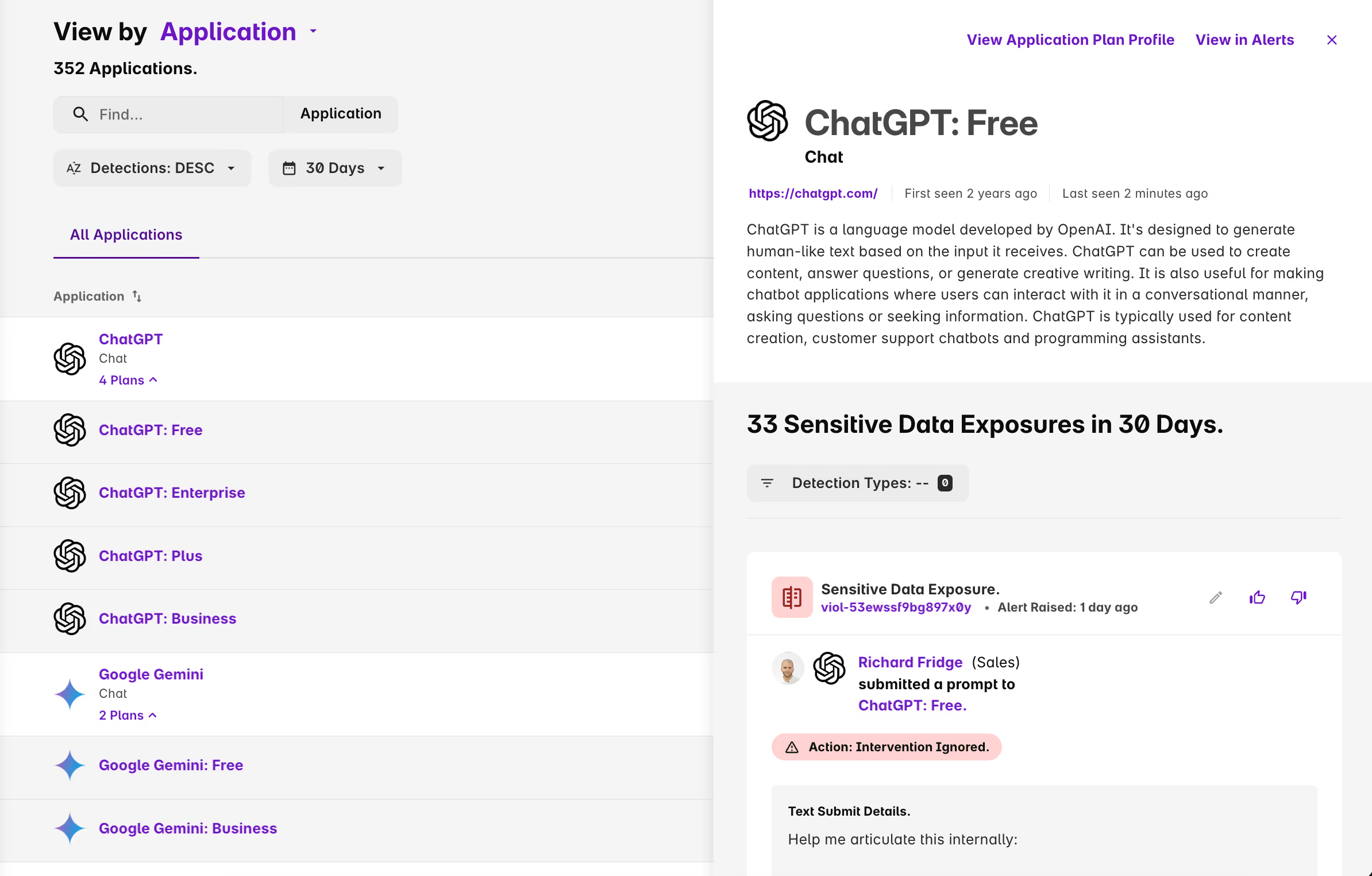
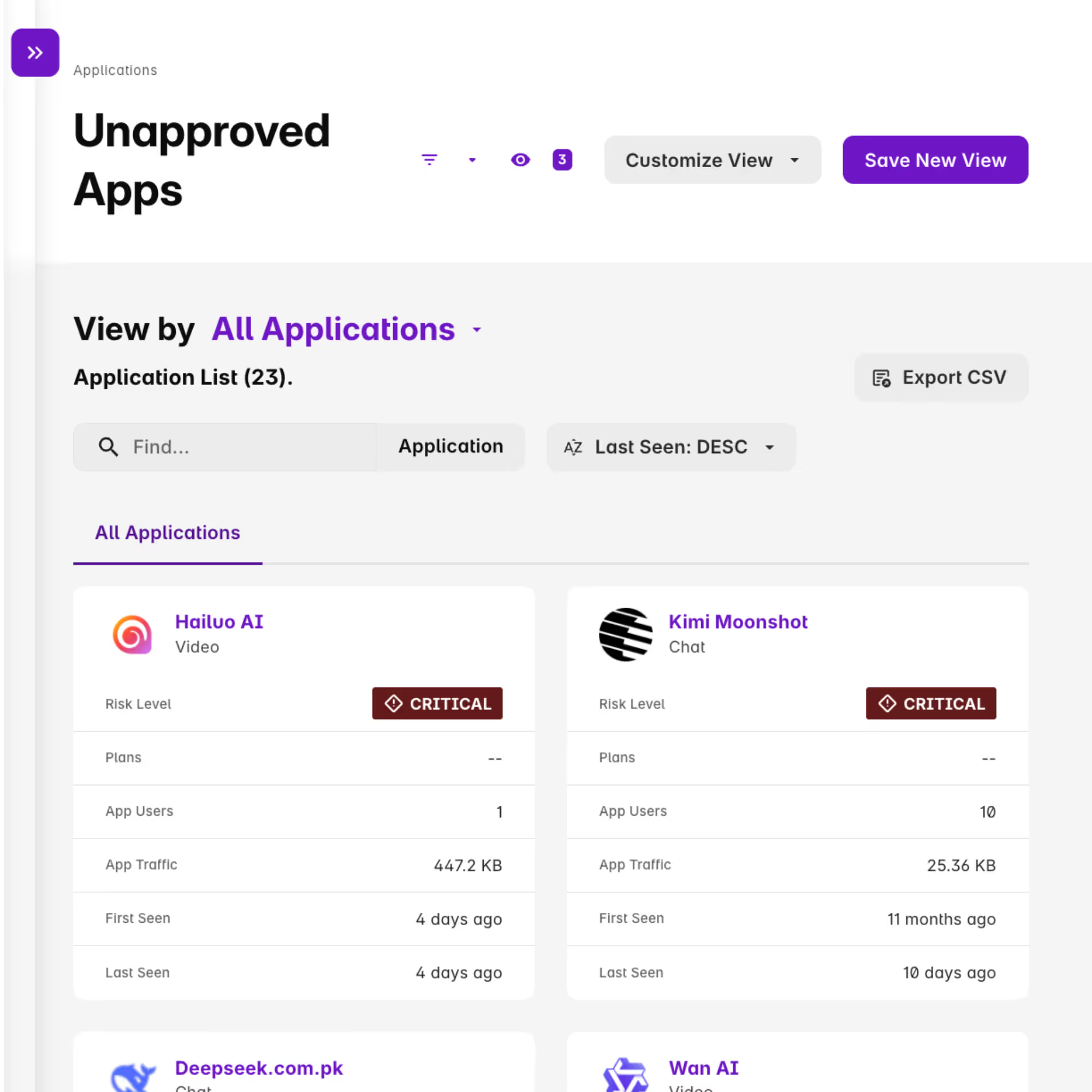
Detect Unapproved AI Tool Use
Continuously discover and categorize every AI tool in use. Create "approved" and "monitored" groups to instantly identify new, unapproved tools and see employee adoption trends.
Use these real-time insights to inform your AI governance committee and guide employees toward safe, sanctioned tools.
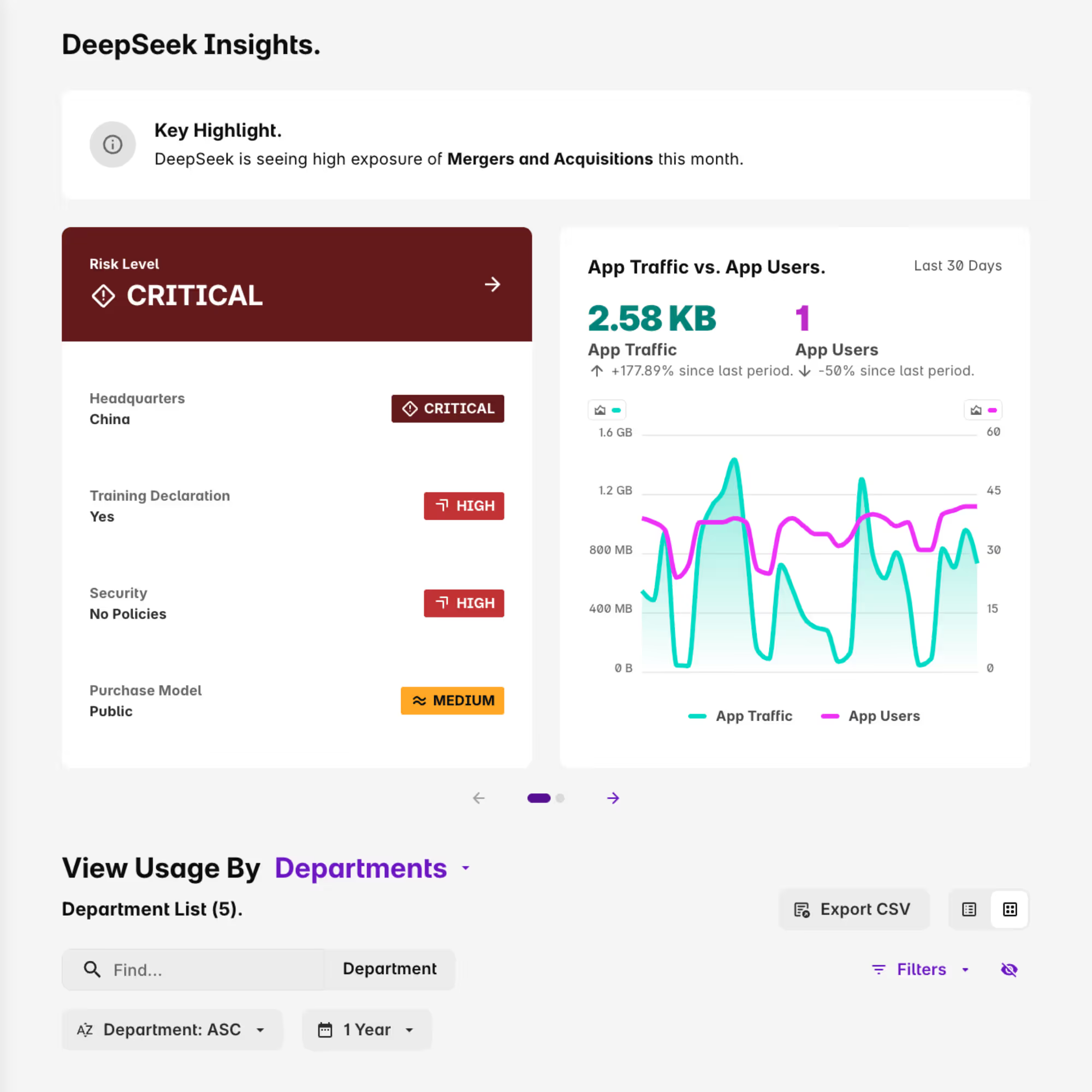
Understand AI Tool Risk in Seconds
Stop wasting time manually researching new AI apps. Our platform provides instant risk profiles for each tool, detailing its data policies, training practices ("Does it train on your data?"), geographic HQ, and other key risk factors.
This saves your security team countless hours on triage and vendor management.
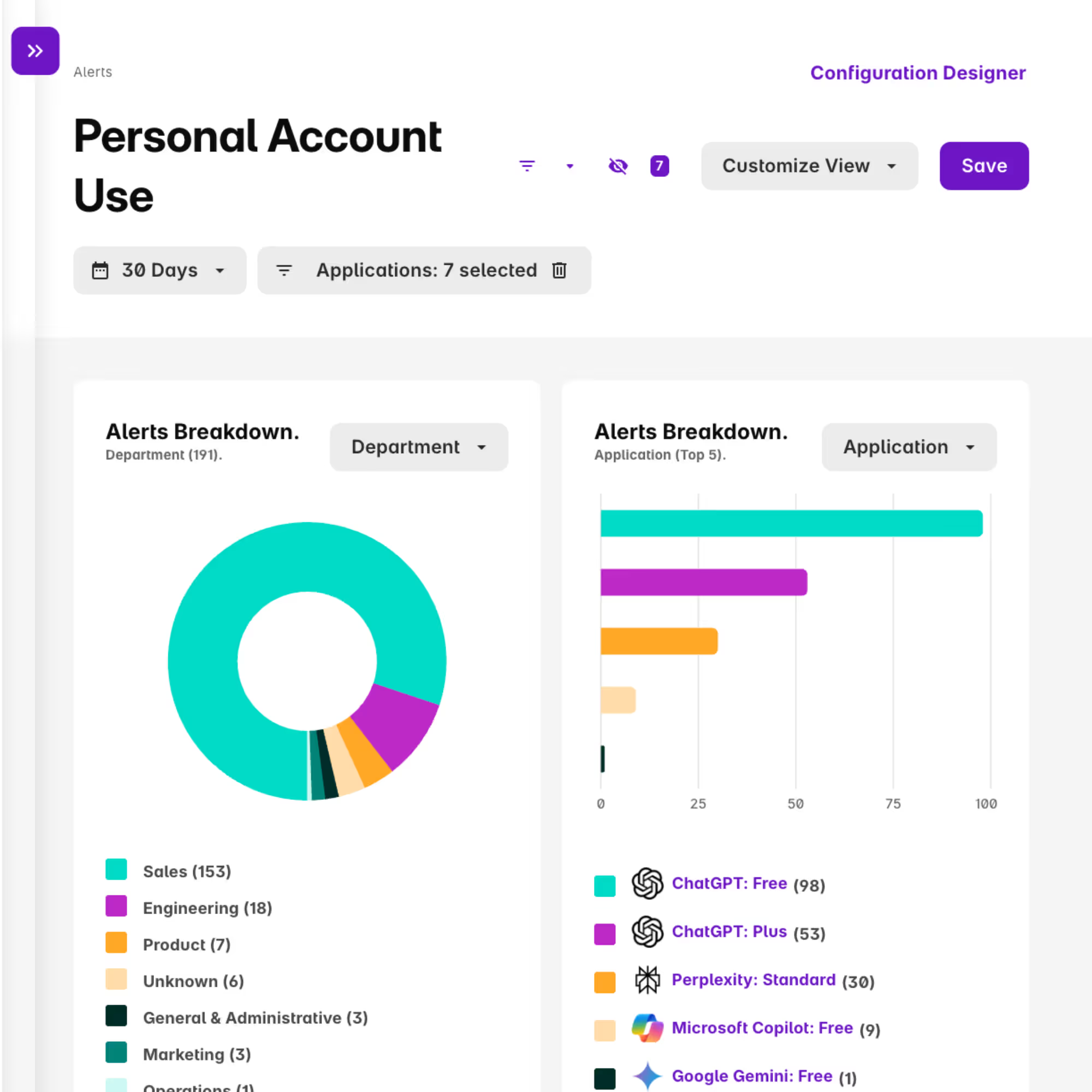
Restrict Use of Personal Accounts
Harmonic gives you granular controls to restrict the use of personal or free accounts for corporate work.
Our powerful, inline Small Language Models (SLMs) sit on the endpoint to detect and redact sensitive data before it can be submitted.
Top Resources for Security Teams


Customer Story
Dark Reading: Advisor360 Gets a Handle on Shadow AI via Automation with Harmonic Security.

FAQs
Quick answers about Harmonic Security
Yes, Harmonic Security can detect usage of OpenClaw (as well as other workstation agents) via our endpoint agent.
AI is embedded in approved productivity tools like Google Translate, Microsoft Copilot, and Salesforce. Blocking AI would block core business functions. Additionally, employees will use personal devices and accounts to access AI when corporate access is restricted, creating greater shadow AI risk.
Some SASE vendors offer limited AI controls for a small number of high profile domains like ChatGPT or Copilot. However, these controls require per domain integrations and do not cover the full spectrum of AI tools, embedded AI features, or agentic workflows.
Harmonic uses purpose built small language models that understand user intent and sensitive data in milliseconds. This low latency analysis lets you understand AI usage and enforce inline controls without slowing work down.
Harmonic can be installed with a range of MDM tools, such as Kandji, Intune, or Jamf. Read more here https://docs.harmonicsecurity.app/browser-extension
Google Chrome Microsoft Edge Mozilla Firefox Safari Other Chromium browsers: Arc, Brave, Vivaldi, Island, Genspark Other Firefox browsers: Zen Browser AI browsers: Comet, Dia

Mike Janielis
Principal Information Security Architect


Huy Ly
Director IT Infrastructure/Security,
Monolithic Power Systems
Build Your AI Guardrails Now
Gain the visibility and control you need to guide AI use with confidence.